Info
Jeder persönliche universitäre Account (RZ-Kennung) besitzt ein oder mehrere E-Mailadressen. Neben dem Standardmäßig vorhandenen UPN (@uni-a.de Adresse) der auch für die 2-Faktor-Anmeldung via Microsoft genutzt wird, können auch weitere Adressen z.B. Fakultäts- oder Einrichtungsadressen oder bei langjährigen Studierenden die alte "@student"-Adresse sein.
Um z.B. den UPN zur 2-Faktor-Anmeldung zu ermitteln, weitere Identitäten im Webmail einzurichten kann einfach das zentrale Adressverzeichnis zur Abfrage aller persönlicher Adressen genutzt werden.
E-Mailadressen suchen
Anleitung
- Im Webmail-Portal mit RZ-Kennung und Passwort einloggen: https://webmail.uni-augsburg.de
- Über die Schaltfläche in das Adressbuch wechseln
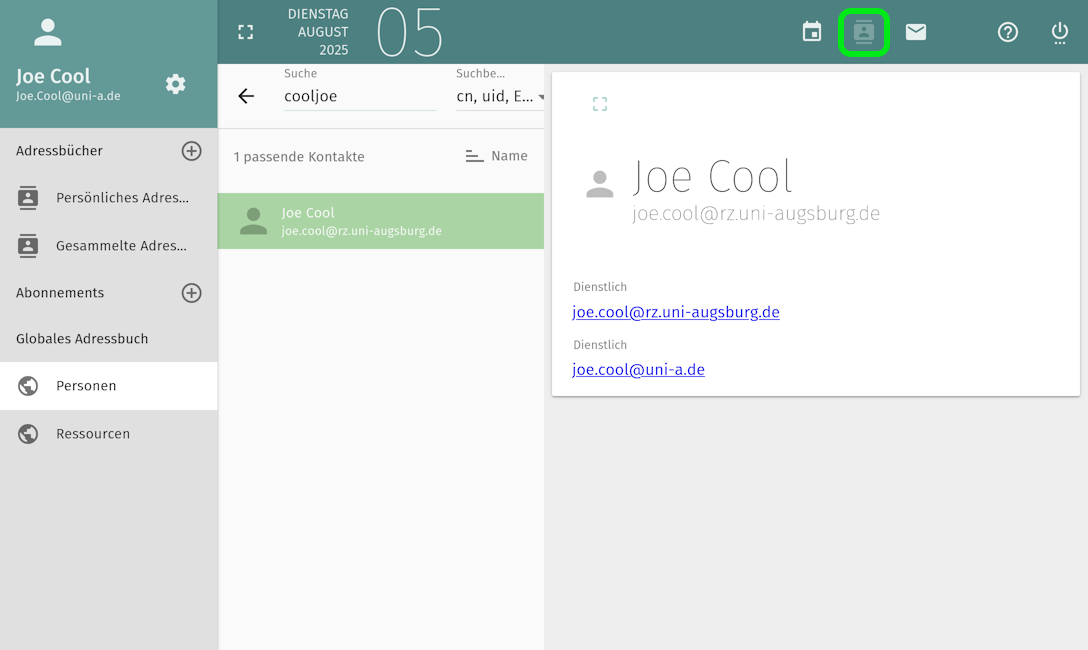
- Aus der Seitenleiste das "Personen"-Adressbuch im Abschnitt "Globales Adressbuch" auswählen
- Über das Suchfeld die eigene RZ-Kennung eintragen und das Suchergebnis auswählen
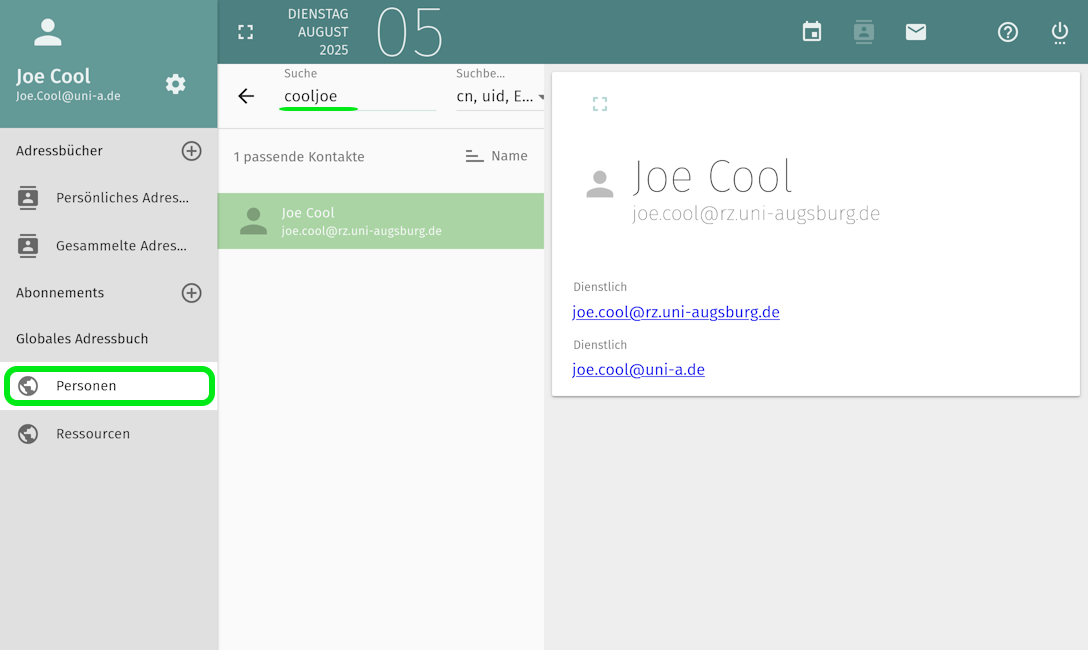
- Die Adressen werden angezeigt
