This section explains what data and which files can be uploaded.
Team Storage
Each team is currently allocated 10 GB of total storage.
- Storage usage is monitored by system admins.
- If a team exceeds the allocated limit, please contact eln@tum.de to find a suitable solution.
Sensitive and Personal Data
Confidential or personal data, like working contracts or patient data, must not be uploaded. This does not only include documents, but also any other data.
File Size Limit
The maximum allowed size per file is 50 MB. Reason: Larger files can negatively impact system performance and responsiveness.
If you anticipate larger files, please contact eln@tum.de directly to find a suitable solution.
Linking to TUM DataTagger
You can link Data from TUM DataTagger to TUM eLabFTW.
This includes going to the list-view in TUM DataTagger and selecting all entries with the mouse. Then enter Ctrl + C (Copy).
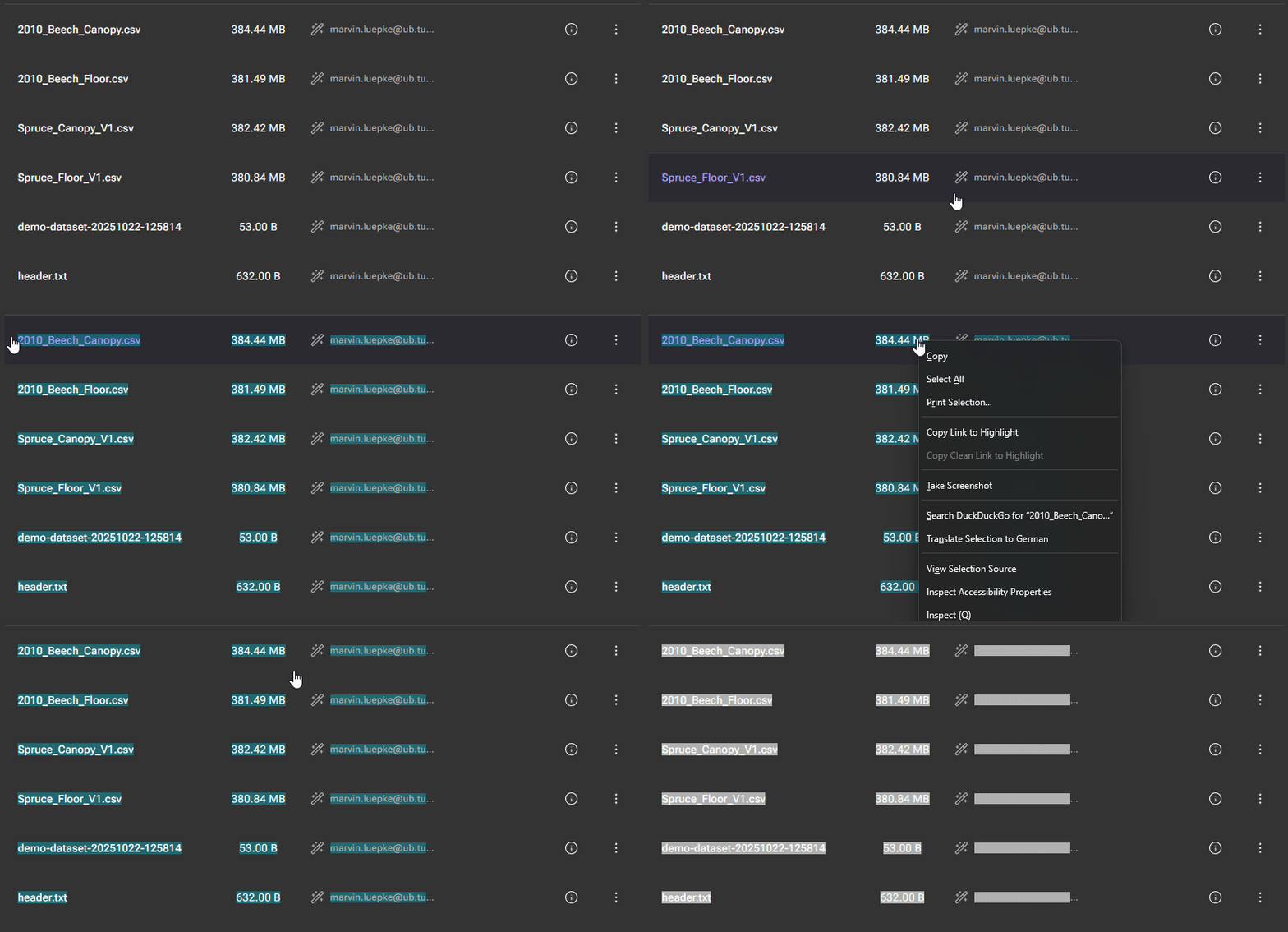
In TUM eLabFTW you can then paste the selected text to the main text of an entry.
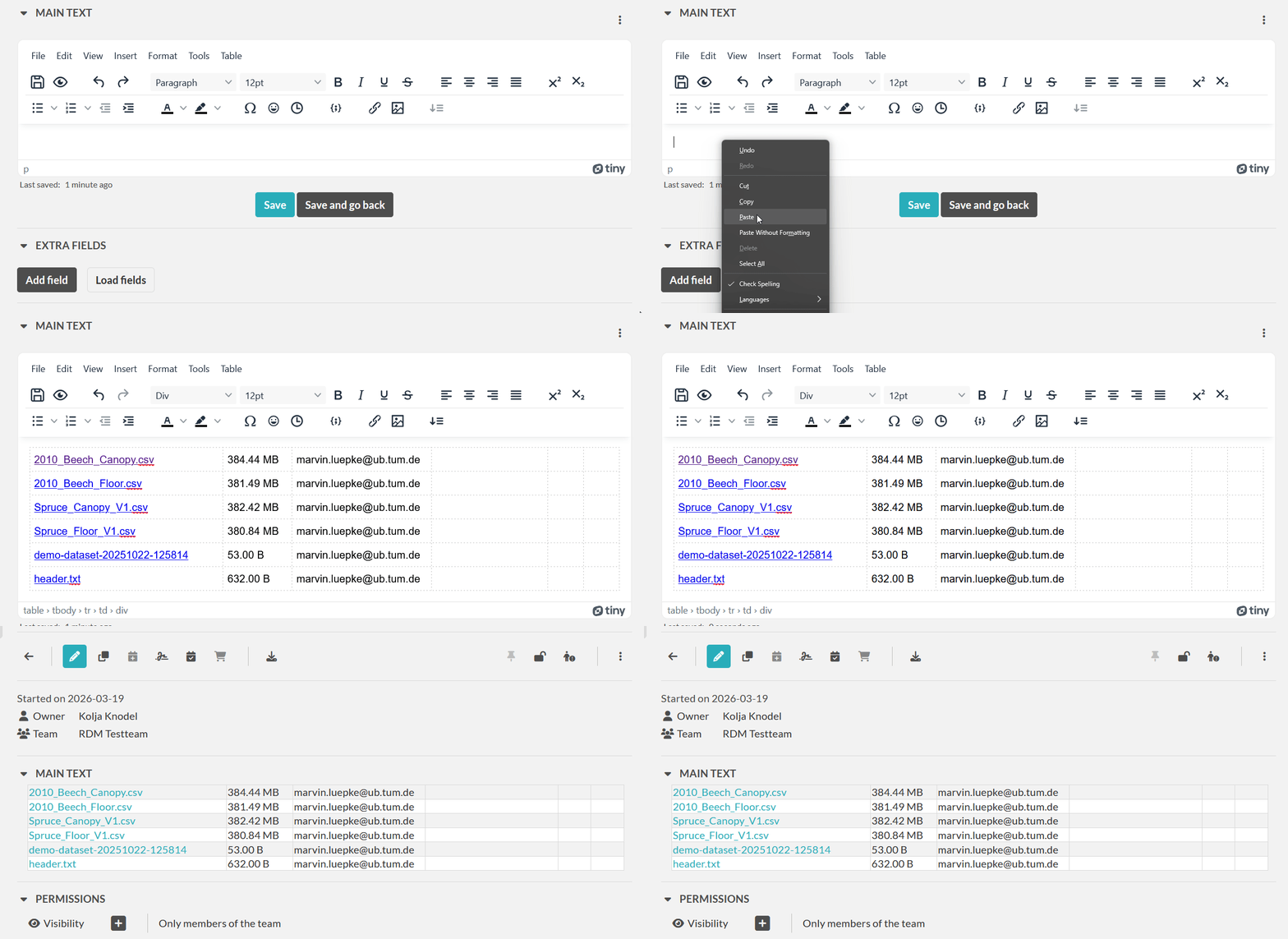
Make sure the sharing permissions are correct so that members of you TUM eLabFTW team can access the data in TUM DataTagger.
Uploading to DataTagger
💡 Best Practices:
- We recommend creating a resource (e.g. "Research Data"), which can then be referenced from multiple other entries.
- You can also manually create extra field with link to folder.