Topics
"Locking" an online form
To deactivate an online form, it must be manually "locked" by the responsible form administrator. If an online form is "locked", all form elements are hidden for non-form administrators.
- Call up the online form you want to lock.
- Click on "Register" and log in with your TUM ID and TUM password (if not already done).
- Click on "Edit".
Edit the macro "ConfiForms Form (Definition), set the settings from the table below and click on "Save":
Field Setting Lock form Aktive Message to show when the form is locked A text of your choice which is displayed in a green infobox instead of the form elements for non-form administrators Click on "Save" again.
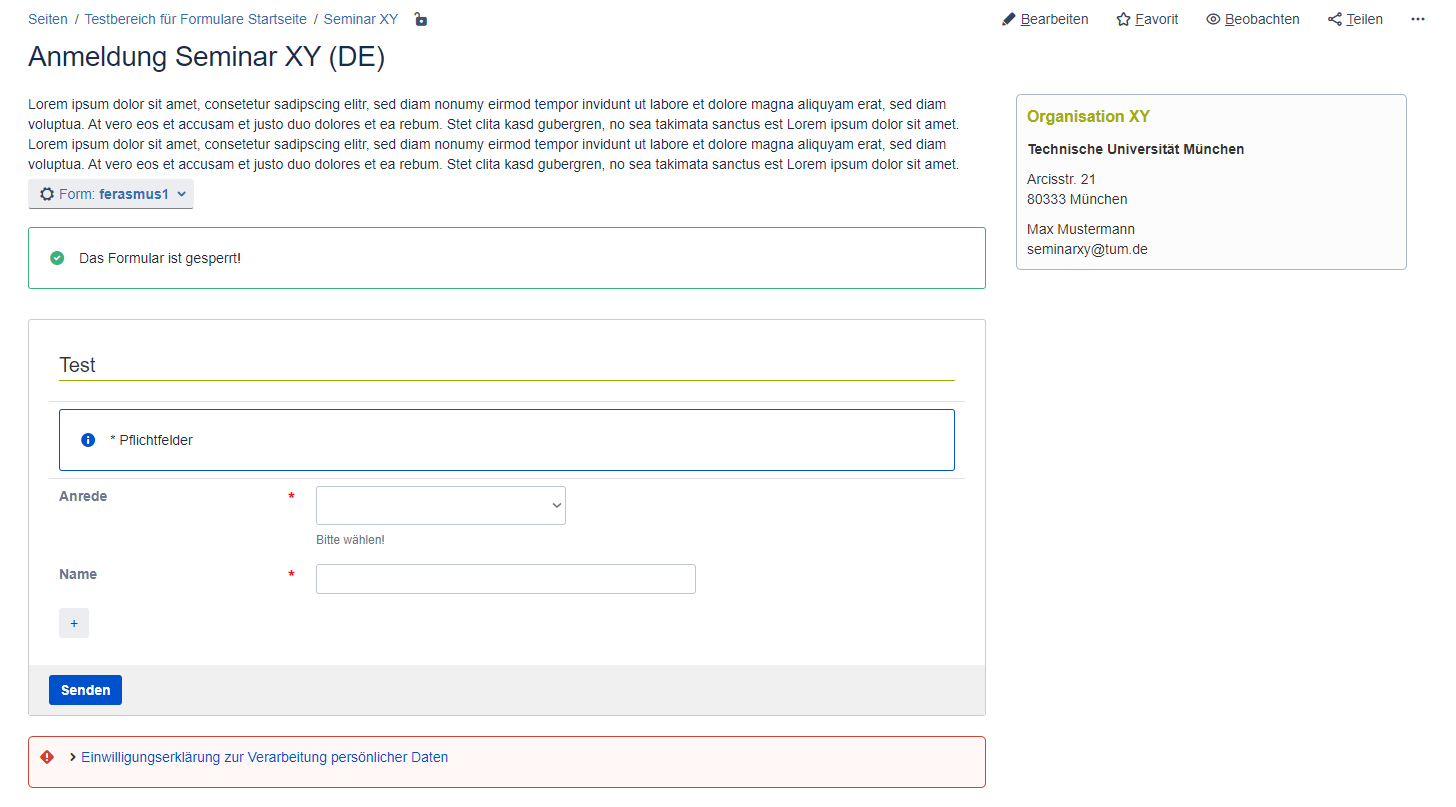
View for form administrators when the online form is locked
For form administrators, the form elements are also displayed next to the green info box.
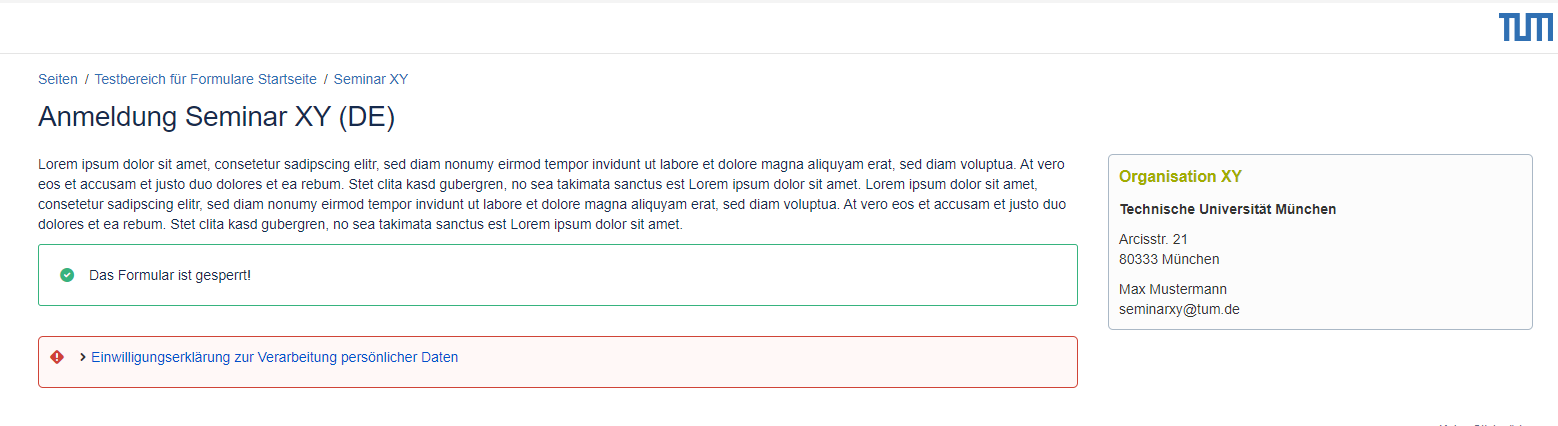
View for non-form administrators when the online form is locked
For non form administrators only the green info box is displayed.
Überblick
Inhalte
Aufgabenbericht