Topics
For linking wiki pages within the TUM wiki or external websites it is strongly recommended to use the tiny link of a wiki page, because it remains unchangeable and works even if the wiki page is changed (e.g. changing the title etc.)
Copy Tiny Link directly to the clipboard via "Share"
- Go to the page whose Tiny Link you want to view.
- Click on "Register" and log in with your TUM ID and TUM password (if not already done).
- Click on "Share" at the top right.
- Click "Copy" in the area framed in red in the figure below.
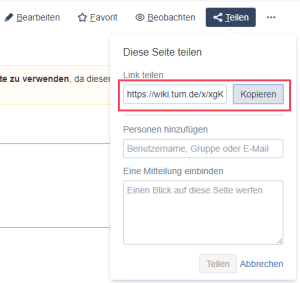
Copy the Tiny Link of a page directly to the clipboard
Get a short link via "Page Information"
- Go to the page whose Tiny Link you want to view.
- Click on "Register" and log in with your TUM ID and TUM password (if not already done).
- Click on "... → Page Information".
- You will find the Tiny Link in the red framed rectangle in the following figure:
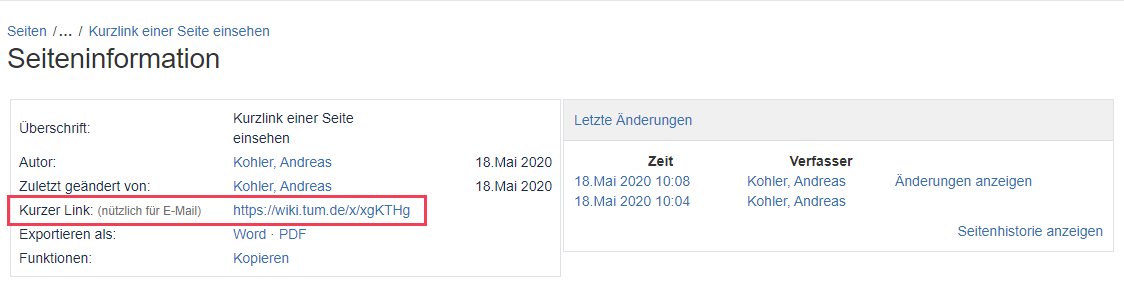
View Tiny Link via "Page Information"
Überblick
Inhalte
Aufgabenbericht