General Information
The Interface Board functions as a hub between SpiNNaker and external devices such as Pushbot, MyoArm, eDVS or any other external hardware. SpiNNaker and the Interface Board are connected via a cable on the SpiNN Link ports (Fig. 1, red) on either side, while external devices can be connected via one of the 4 (0-4) UART ports (Fig. 1, magenta). UART port 4 acts as a debug port, which connects a PC via a UART ↔ USB converter through an FTDI chip (Fig. 2), making the Interface Board accessible by any serial monitor that supports 12Mbauds (e.g. Miniterm.py on Linux systems)
The board is powered by either connecting a power source to any of the UART ports (Gnd and Volt are connected through, see Fig. 3) or by using the USB Power supply port (Fig. 1, yellow).
Each UART port is configured to 12MBauds, 8N1, full RTS/CTS handshaking.
Programming of the uC and the CPLD is done by connecting a 6-pin UART cable to the respective port on the backside of the Interface Board (Fig. 2)
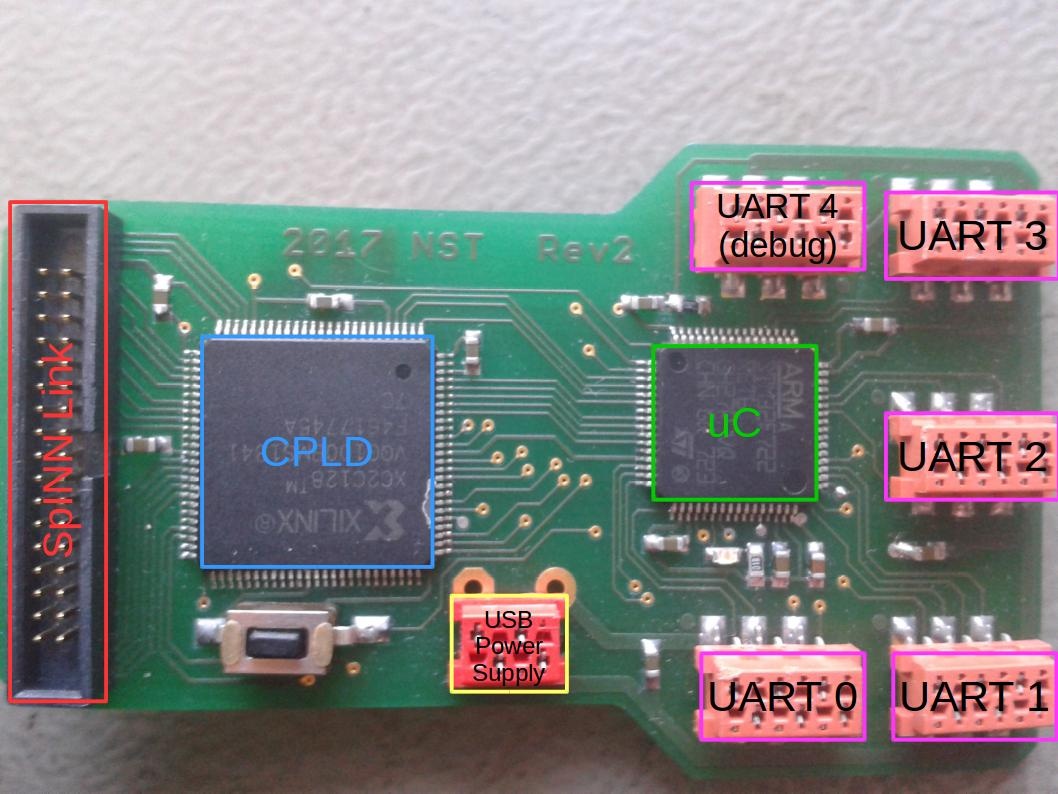
Figure 1.


Figure 2.
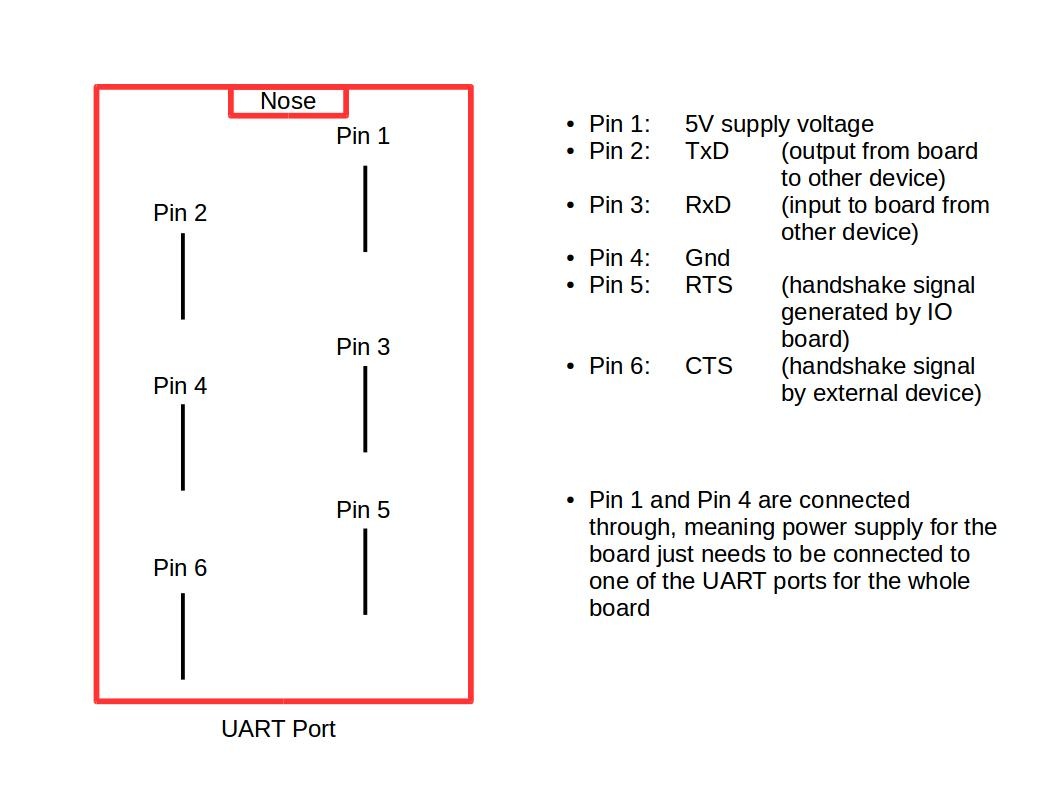
Figure 3.
Communication Protocol SpiNNaker ↔ generic external Hardware connected via Interface Board
https://docs.google.com/document/d/1lJ2t5ISbdJpgHs7oGCI9pG10y2xzKz2hoclRX5WocLM/pub
Pushbot ↔ Interface Board ↔ SpiNNaker Setup and Documentation
https://docs.google.com/document/d/1IU1MN9YL4o3B96cUNMvERcr6_knr1ewJxyWZ8j2-ryw/edit?ts=59dcd460